> ## Documentation Index
> Fetch the complete documentation index at: https://help.descript.com/llms.txt
> Use this file to discover all available pages before exploring further.
# Create a New Project
> Create a project from the drive view or from within an open project.
A project is where your work in Descript lives: your media, edits, and scenes all in one place. Create your first from the [drive view](/descript-tour/drive-view), or start a new one anytime from inside a project you already have open.
**Projects and compositions**
A project is the top-level container for your work in Descript. Each project can contain multiple compositions — for example, a rough cut and a final version. [Learn more about projects and compositions](/working-in-projects/overview).
## From the drive view
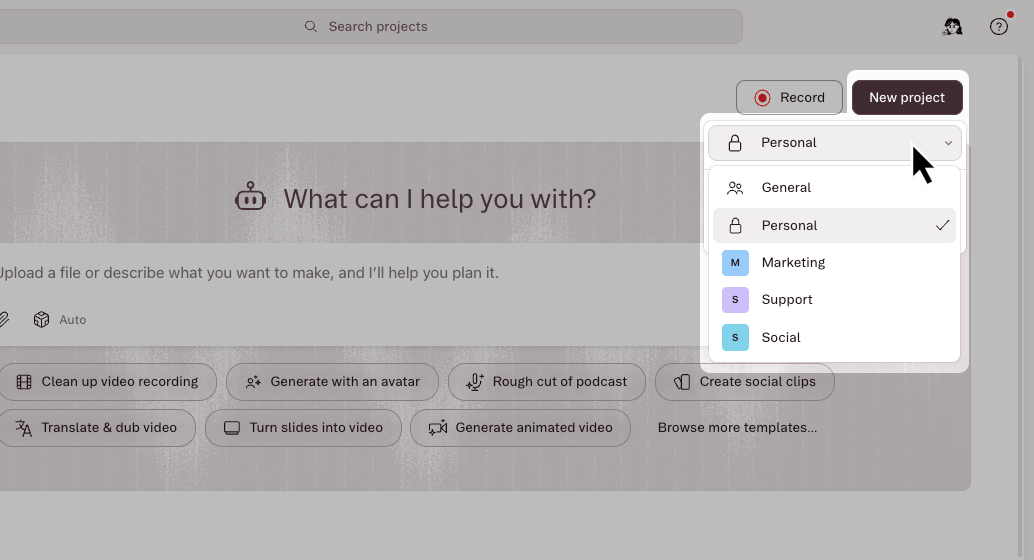
Click **New project** in the top-right corner, then choose the type of project to create.
New projects save to your personal private workspace by default. On Enterprise plans, the **New project** button includes a workspace picker — choose a destination before creating the project.
Drive admins can also [change the default save location](/account-and-app-settings/app-settings#preferences) so new projects save to a different workspace. [Learn more about workspaces](/team-management/workspaces).
 ## From inside a project
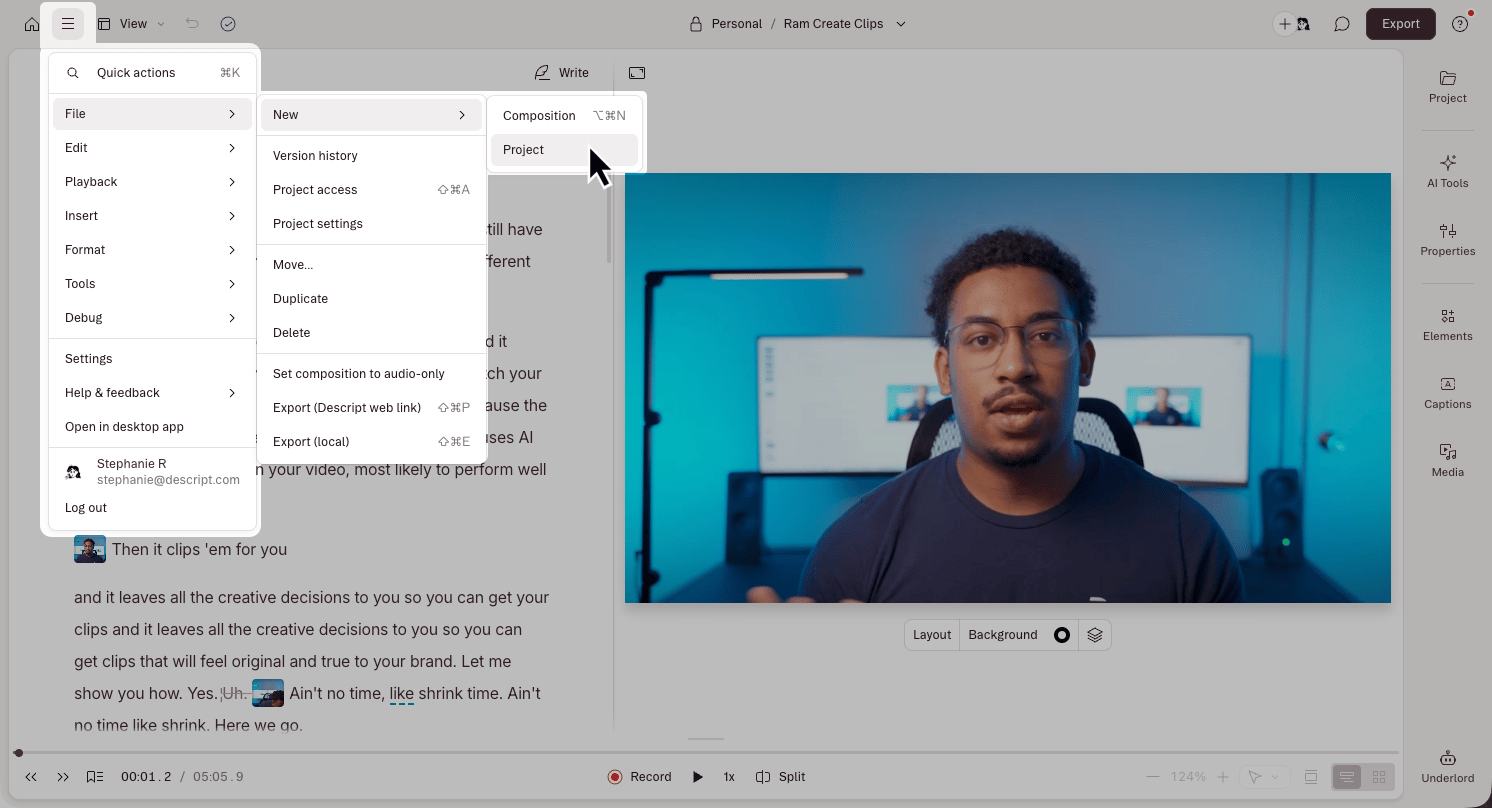
1. Click the menu icon in the top-left corner.
2. Select **File > New > Project.**
## From inside a project
1. Click the menu icon in the top-left corner.
2. Select **File > New > Project.**