> ## Documentation Index
> Fetch the complete documentation index at: https://help.descript.com/llms.txt
> Use this file to discover all available pages before exploring further.
# Set and Customize Thumbnails
> Choose a video frame or upload a custom image as the preview for your share pages and Descript web links.
Your thumbnail is the first thing viewers see on a share page, before they hit play, so it's worth setting deliberately instead of leaving the default first frame.
Need to save a frame as an image file instead? Learn how to [save a frame from your video](/visuals/save-a-frame-from-your-video).
**Thumbnails for exports and YouTube**
Thumbnails set in Descript do not appear in locally exported files or YouTube videos. YouTube thumbnails must be updated in YouTube Studio after publishing. [Learn more about exporting directly to YouTube.](/export-and-share/youtube)
## Thumbnails on share pages and Descript web links
When exporting a composition to a Descript web link, the thumbnail is the first thing viewers see on your share page. You can choose a frame from your project or upload a custom image.
**To change the share link thumbnail:**
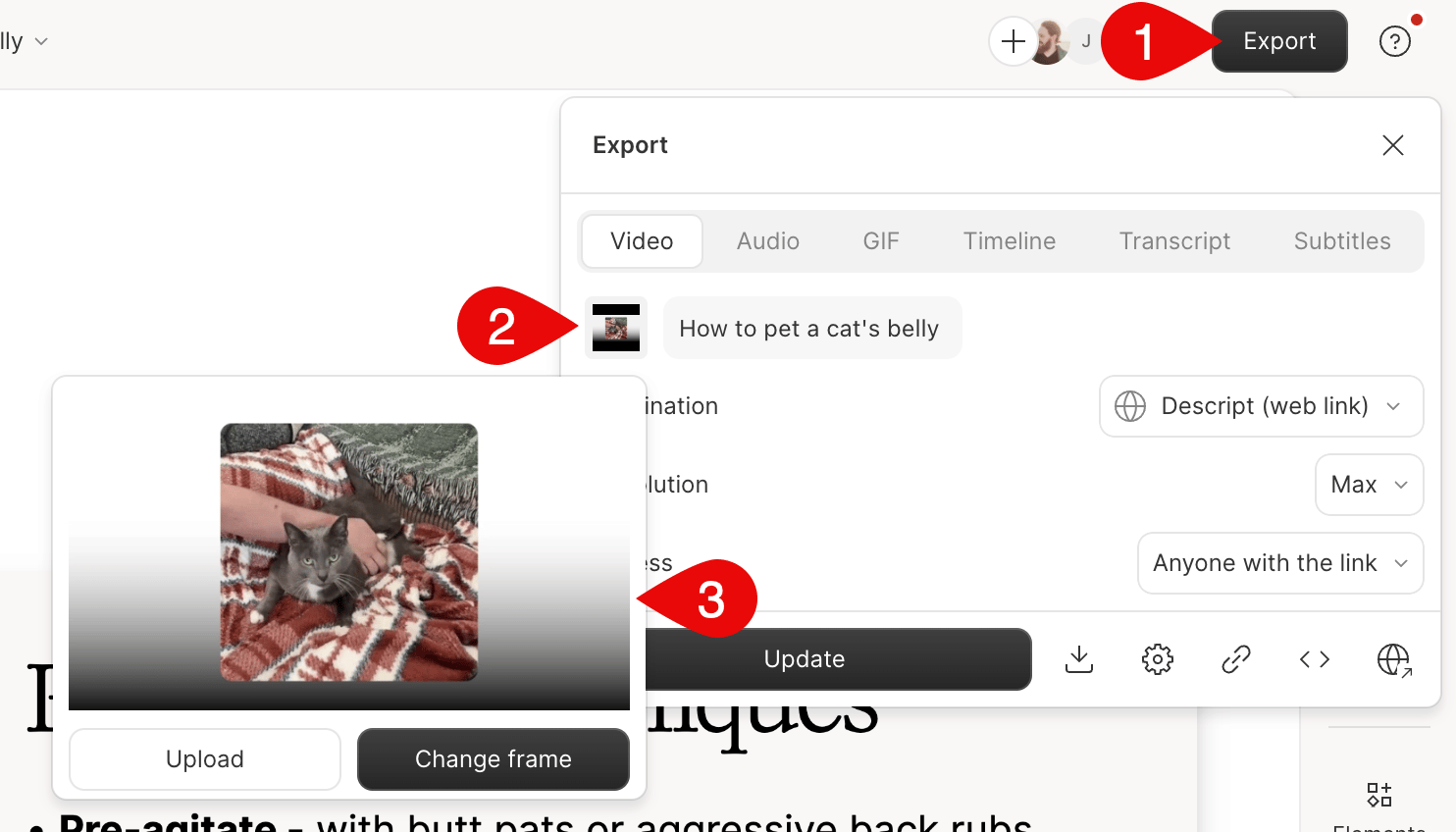
**From the editor:**
1. Click **Export**
2. In the export window, click the thumbnail image to choose a new one
 **From the share page:**
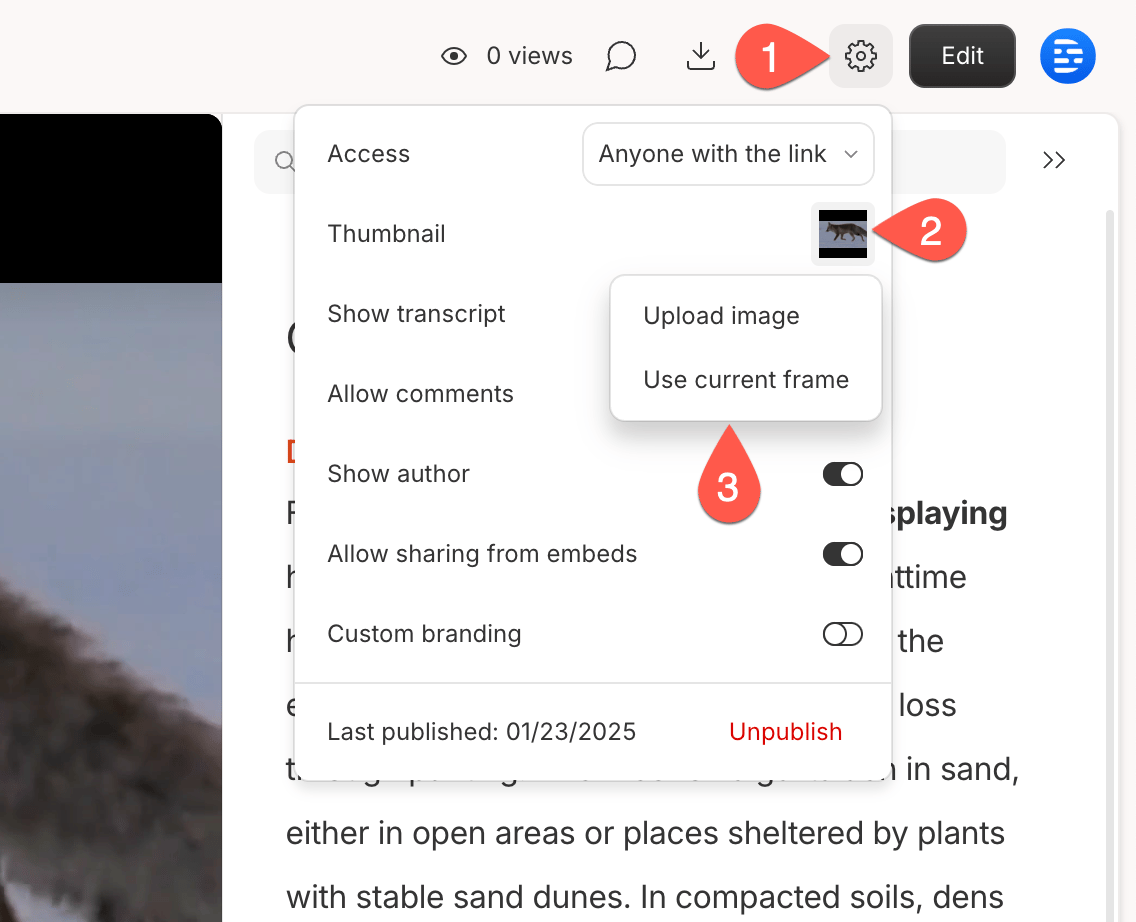
1. Click the **Settings** icon
2. Click the thumbnail image
3. Choose a different frame or upload an image
**From the share page:**
1. Click the **Settings** icon
2. Click the thumbnail image
3. Choose a different frame or upload an image
 ## Thumbnail behavior and limitations
* **Share page thumbnails** only affect Descript web links and embeds
* Thumbnails **do not appear** in exported/downloaded files
* Thumbnails **are not transferred** to YouTube—use YouTube Studio to change them
## Thumbnail behavior and limitations
* **Share page thumbnails** only affect Descript web links and embeds
* Thumbnails **do not appear** in exported/downloaded files
* Thumbnails **are not transferred** to YouTube—use YouTube Studio to change them