> ## Documentation Index
> Fetch the complete documentation index at: https://help.descript.com/llms.txt
> Use this file to discover all available pages before exploring further.
# Exporting Restream Recordings
> Publish a video composition from Descript to Restream.
Publish a finished video straight from Descript to your Restream account, no download-and-upload in between.
Restream only accepts video content. If you want to export an [audio-only composition](/working-in-projects/audio), switch the composition to video.
## Export to Restream in Descript
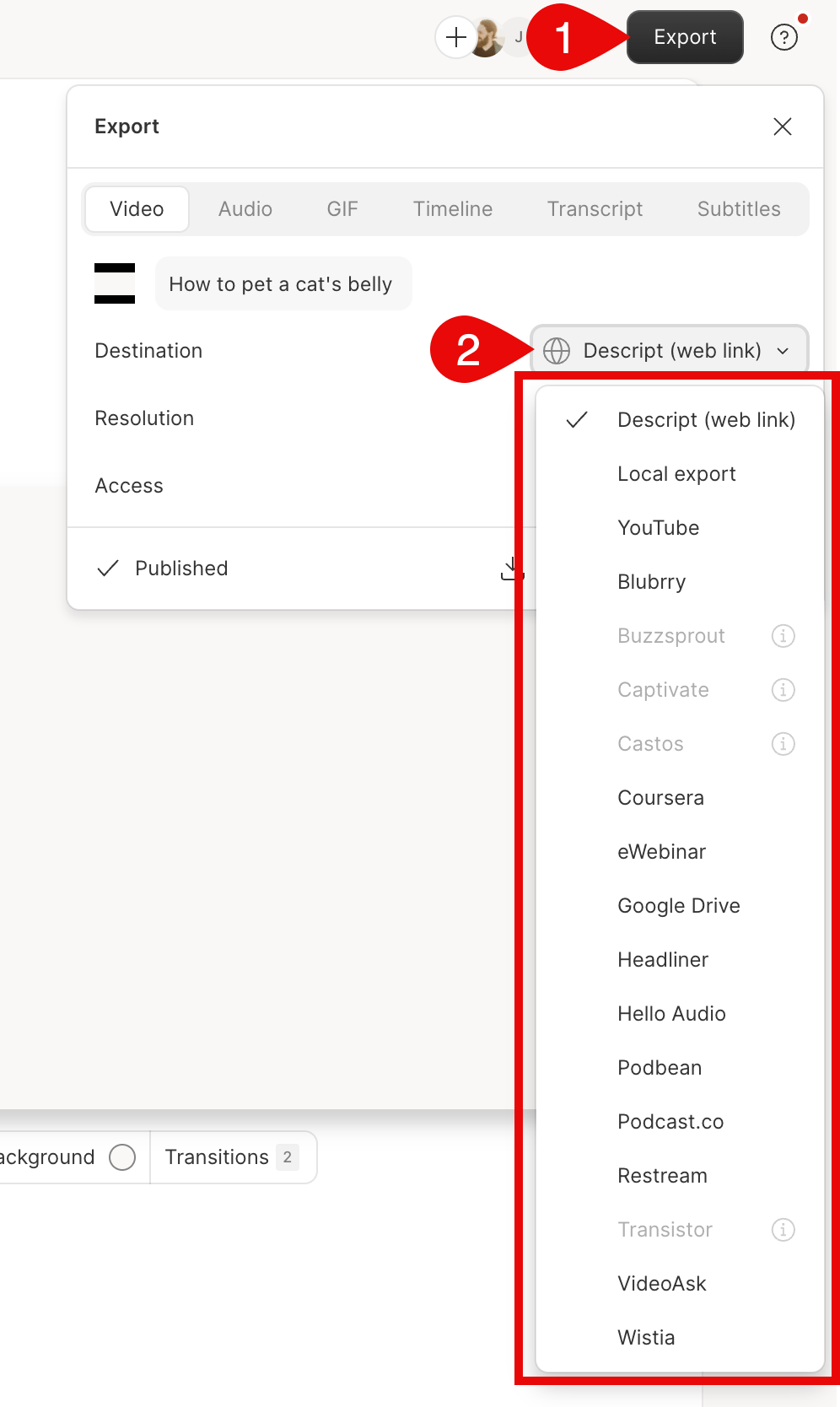
1. Click **Export** at the top-right corner of your editor.
2. Select **Restream** from the list of **Destination**.
3. Select **Export** at the bottom of the export window. At this point, Descript will also publish an unlisted share page of your content. [Learn more about share pages](/export-and-share/share-page).\\
 ## Upload the content to Restream
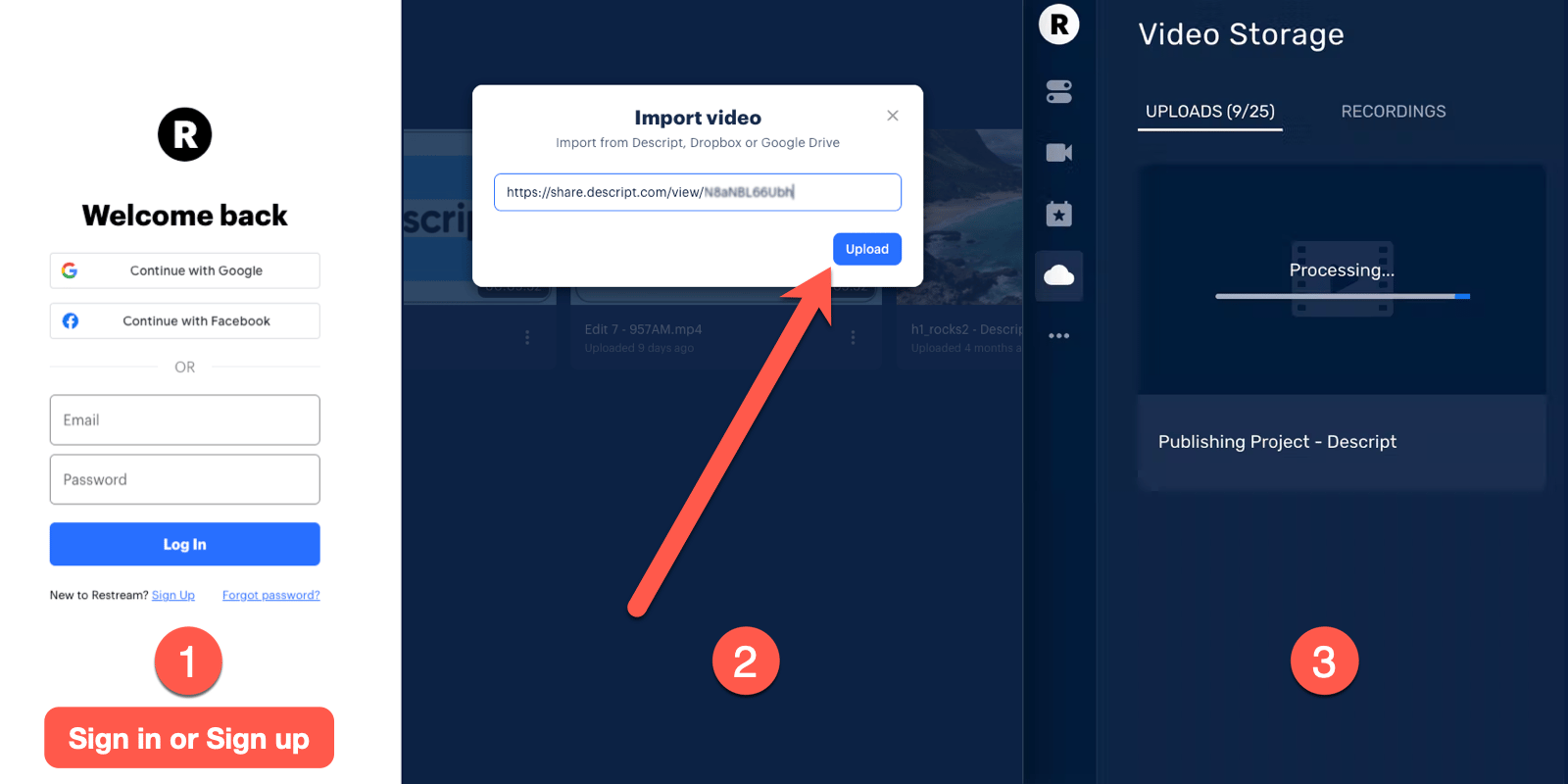
1. After exporting to Restream from Descript, a web page will open in your default browser.
2. You can just **sign in** to your Restream account or **sign up** for a Restream account.
3. You will now be prompted to upload your video. The URL for your exported content will be automatically filled out. Click **Upload**.
[
## Upload the content to Restream
1. After exporting to Restream from Descript, a web page will open in your default browser.
2. You can just **sign in** to your Restream account or **sign up** for a Restream account.
3. You will now be prompted to upload your video. The URL for your exported content will be automatically filled out. Click **Upload**.
[ ](/images/external/descript-16974742026125-0ef11ed07d.png)
Your video will now begin uploading. Once it's finished, your content will be ready to share on Restream.
](/images/external/descript-16974742026125-0ef11ed07d.png)
Your video will now begin uploading. Once it's finished, your content will be ready to share on Restream.