> ## Documentation Index
> Fetch the complete documentation index at: https://help.descript.com/llms.txt
> Use this file to discover all available pages before exploring further.
# Ken Burns Animation
> Add zooms and pans to still images with the Ken Burns animation.
A still photo can feel flat on screen. The Ken Burns effect gives it motion, slowly pushing in or drifting across the frame the way documentaries bring old photographs to life.
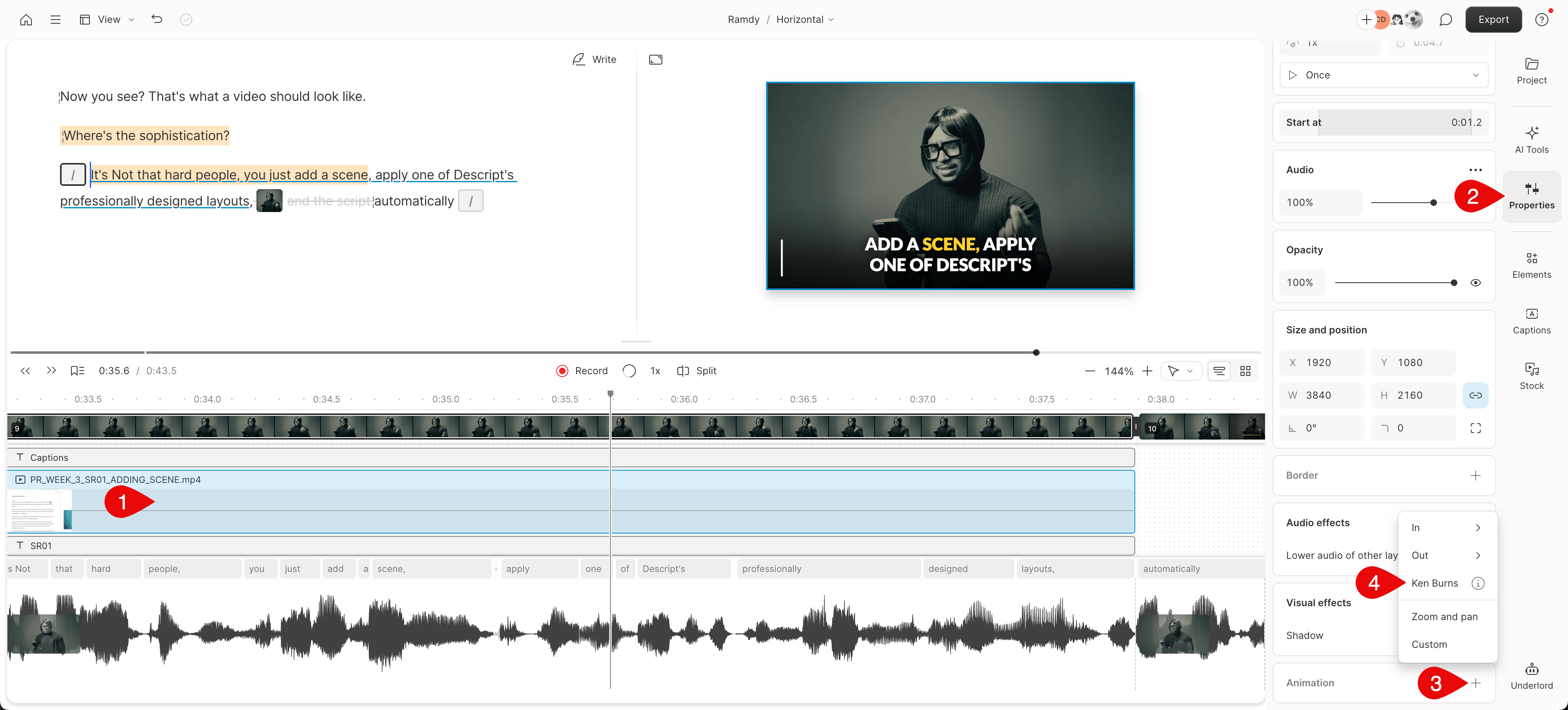 You can apply the Ken Burns animation to a selected visual from the Properties panel. The feature provides several customization options that allow you to create dynamic motion effects.
At this time, the Ken Burns Animation can not be applied to the Script layer.
You can apply the Ken Burns animation to a selected visual from the Properties panel. The feature provides several customization options that allow you to create dynamic motion effects.
At this time, the Ken Burns Animation can not be applied to the Script layer.
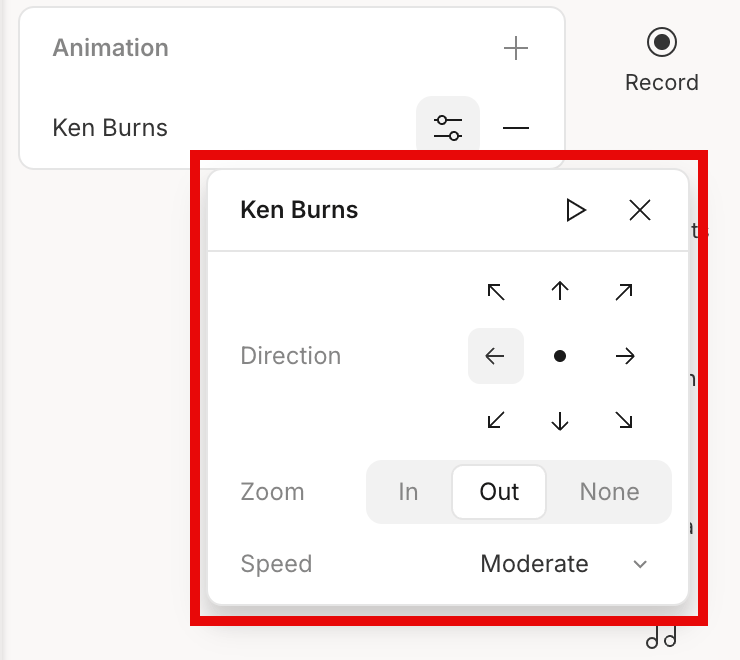 | Option | Description |
| ------------------------ | ------------------------------------------------------------------------------------------------------------------------------------ |
| **Play Icon** | This will allow you to play the animation layer to preview any changes you have made. |
| **In** | Gradually zooms into the image Ken Burns style, bringing focus to a particular area. |
| **Out** | Slowly zooms out, revealing more of the image over time. |
| **None** | The image will only pan across the screen without any zoom effect. This option cannot be combined with the center-only zoom setting. |
| **Directional Settings** | The animation supports eight different directional settings, allowing you to set the movement's direction. |
| **Center Zoom** | Focuses the zoom directly towards or away from the center of the image. |
| **Speed** | Adjust the animation speed to suit the mood of your media. Choose between Slow, Moderate, or Fast. |
| Option | Description |
| ------------------------ | ------------------------------------------------------------------------------------------------------------------------------------ |
| **Play Icon** | This will allow you to play the animation layer to preview any changes you have made. |
| **In** | Gradually zooms into the image Ken Burns style, bringing focus to a particular area. |
| **Out** | Slowly zooms out, revealing more of the image over time. |
| **None** | The image will only pan across the screen without any zoom effect. This option cannot be combined with the center-only zoom setting. |
| **Directional Settings** | The animation supports eight different directional settings, allowing you to set the movement's direction. |
| **Center Zoom** | Focuses the zoom directly towards or away from the center of the image. |
| **Speed** | Adjust the animation speed to suit the mood of your media. Choose between Slow, Moderate, or Fast. |