> ## Documentation Index
> Fetch the complete documentation index at: https://help.descript.com/llms.txt
> Use this file to discover all available pages before exploring further.
# EQ
> Shape tone and remove problem frequencies with Descript's 5-band parametric equalizer.
Descript's EQ is a parametric equalizer for shaping your sound: boost or cut specific frequency ranges to blend voices, adjust tone, or clear out problem frequencies. Presets give you a starting point, and you [apply it](/effects-animations-transitions/apply-adjust) from the Audio Effects section of the Properties panel.
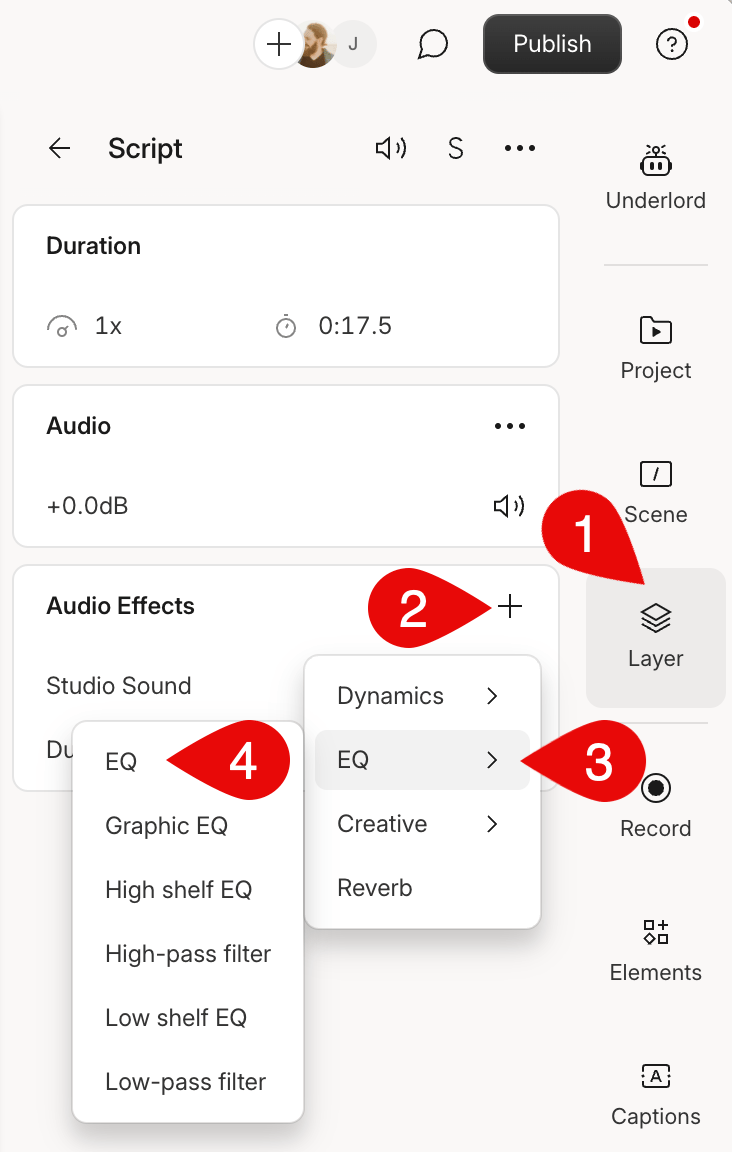 ## Using the effect
Our EQ offers flexibility and customization for adjusting your audio's frequency balance. The effect is a 5-band parametric EQ. A band is the range of frequency you can adjust in the EQ.
## Using the effect
Our EQ offers flexibility and customization for adjusting your audio's frequency balance. The effect is a 5-band parametric EQ. A band is the range of frequency you can adjust in the EQ.
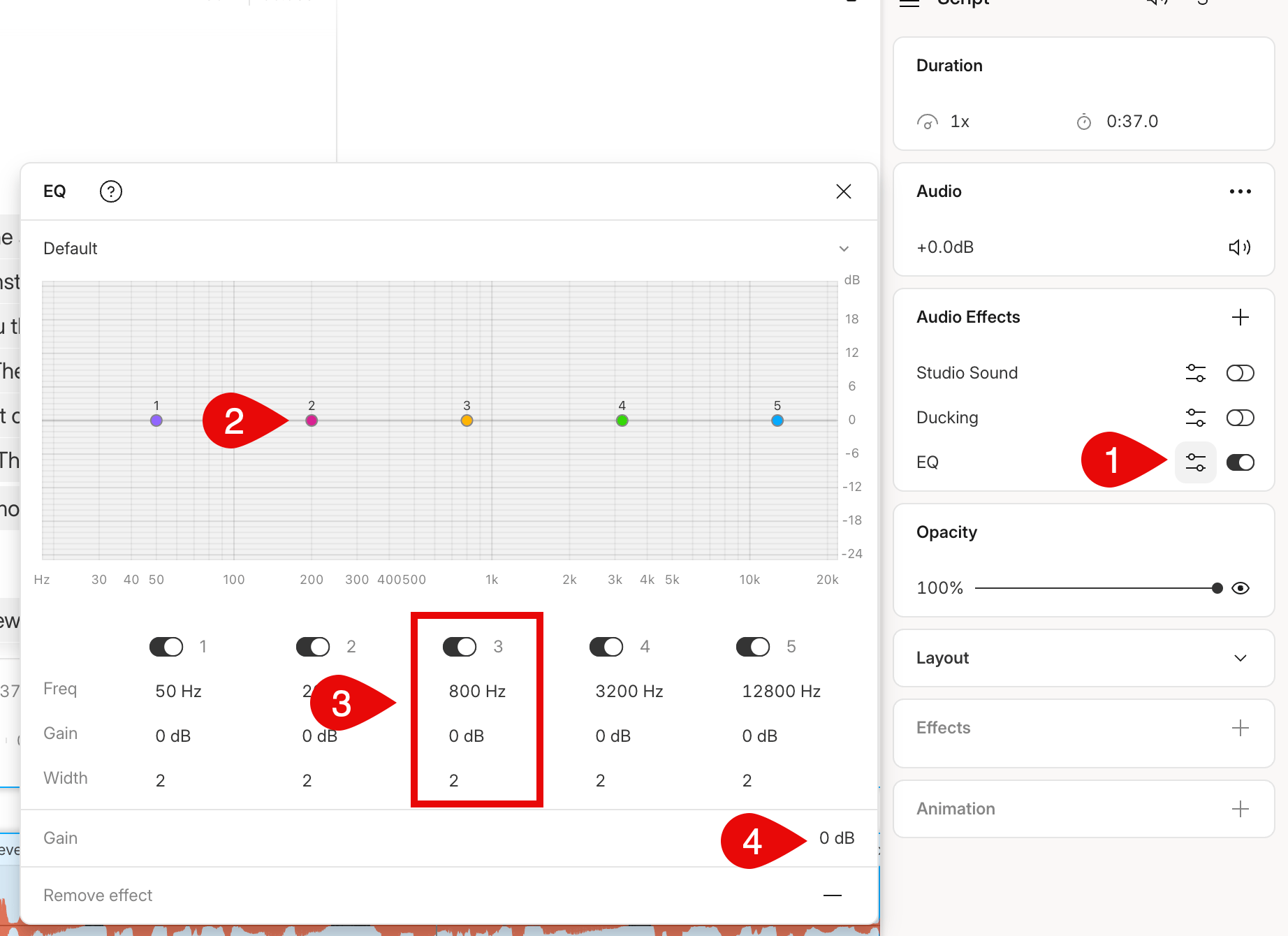 You do not need to use all five bands every time. You can enable/disable the bands required for your specific track.
1. Click and drag active bands anywhere to adjust the frequency range and gain.
2. You can adjust your band parameters from the bottom of the EQ’s panel
3. You can raise or lower the overall output gain in the bottom right corner
| Parameter | Description |
| ------------- | ------------------------------------------------------------------------ |
| **Width** | Adjusts the overall frequency range size of a band |
| **Frequency** | Set the center frequency of a band |
| **Gain** | Increases/decreases the decibel (dB) level of the band's frequency range |
You do not need to use all five bands every time. You can enable/disable the bands required for your specific track.
1. Click and drag active bands anywhere to adjust the frequency range and gain.
2. You can adjust your band parameters from the bottom of the EQ’s panel
3. You can raise or lower the overall output gain in the bottom right corner
| Parameter | Description |
| ------------- | ------------------------------------------------------------------------ |
| **Width** | Adjusts the overall frequency range size of a band |
| **Frequency** | Set the center frequency of a band |
| **Gain** | Increases/decreases the decibel (dB) level of the band's frequency range |