> ## Documentation Index
> Fetch the complete documentation index at: https://help.descript.com/llms.txt
> Use this file to discover all available pages before exploring further.
# Sound Good with AI Tools
> Utilize Descript's AI features to clean up your audio, edit for clarity, remove filler words, and more.
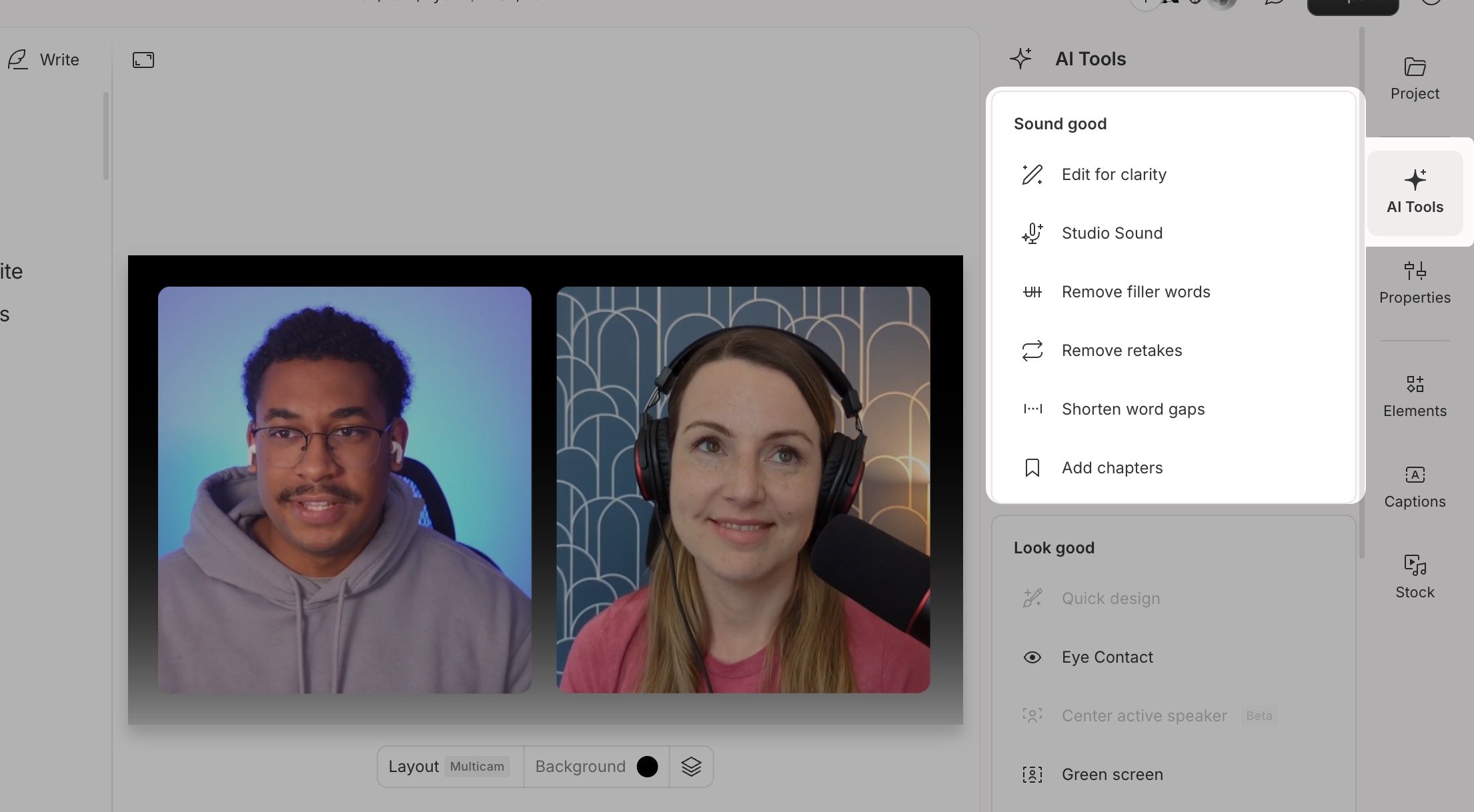
Sound Good features in the AI Tools panel help tidy up your audio.
 **Usage note**
On current plans, this feature uses **AI Credits**. Learn more about [tracking your Media Minutes and AI Credits](/billing-payments-plans/track-and-understand-your-media-minutes-and-ai-credits).
Legacy and Sunset plans track usage differently. See our [Understanding your Legacy and Sunset plan](/billing-payments-plans/legacy-sunset) guide for details.
### Edit For Clarity
Automatically clean up wordiness, retakes, filler, and off-topic segments. Adjust the intensity slider to control how aggressive the edits are, and optionally apply AI speech to reword small sections for smoother delivery.
[Learn how to use Edit for Clarity](/script-editing/edit-for-clarity)
### Studio Sound
Enhance voice quality and remove background noise with [Studio Sound](/effects-animations-transitions/studio-sound). This effect improves clarity, removes room echo, and smooths inconsistent audio across speakers.
[Learn more about Studio Sound](/effects-animations-transitions/studio-sound)
### Remove Filler Words
Automatically detect and remove words like “um,” “uh,” and “you know” from your transcript and audio.
[Learn more about removing filler words](/script-editing/filler-words)
### Remove Retakes
Remove repeated lines or false starts with a single click. This tool detects where you’ve re-recorded a phrase and marks earlier versions for removal. Edits appear as [ignored text](/script-editing/delete-vs-ignore), and you can restore or delete them as needed.
### Shorten Word Gaps
Adjust long pauses to fine-tune the pacing of your audio. Preview gaps individually or shorten them all at once.
[Learn more about adjusting word gaps](/script-editing/shorten-word-gaps)
### Add Chapters
Automatically generate chapter markers and titles for your video or podcast. Add them to your script as [markers](/script-editing/markers-chapters) or copy a timestamped list for your share page or show notes.
**Usage note**
On current plans, this feature uses **AI Credits**. Learn more about [tracking your Media Minutes and AI Credits](/billing-payments-plans/track-and-understand-your-media-minutes-and-ai-credits).
Legacy and Sunset plans track usage differently. See our [Understanding your Legacy and Sunset plan](/billing-payments-plans/legacy-sunset) guide for details.
### Edit For Clarity
Automatically clean up wordiness, retakes, filler, and off-topic segments. Adjust the intensity slider to control how aggressive the edits are, and optionally apply AI speech to reword small sections for smoother delivery.
[Learn how to use Edit for Clarity](/script-editing/edit-for-clarity)
### Studio Sound
Enhance voice quality and remove background noise with [Studio Sound](/effects-animations-transitions/studio-sound). This effect improves clarity, removes room echo, and smooths inconsistent audio across speakers.
[Learn more about Studio Sound](/effects-animations-transitions/studio-sound)
### Remove Filler Words
Automatically detect and remove words like “um,” “uh,” and “you know” from your transcript and audio.
[Learn more about removing filler words](/script-editing/filler-words)
### Remove Retakes
Remove repeated lines or false starts with a single click. This tool detects where you’ve re-recorded a phrase and marks earlier versions for removal. Edits appear as [ignored text](/script-editing/delete-vs-ignore), and you can restore or delete them as needed.
### Shorten Word Gaps
Adjust long pauses to fine-tune the pacing of your audio. Preview gaps individually or shorten them all at once.
[Learn more about adjusting word gaps](/script-editing/shorten-word-gaps)
### Add Chapters
Automatically generate chapter markers and titles for your video or podcast. Add them to your script as [markers](/script-editing/markers-chapters) or copy a timestamped list for your share page or show notes.