> ## Documentation Index
> Fetch the complete documentation index at: https://help.descript.com/llms.txt
> Use this file to discover all available pages before exploring further.
# Repurpose with AI Tools
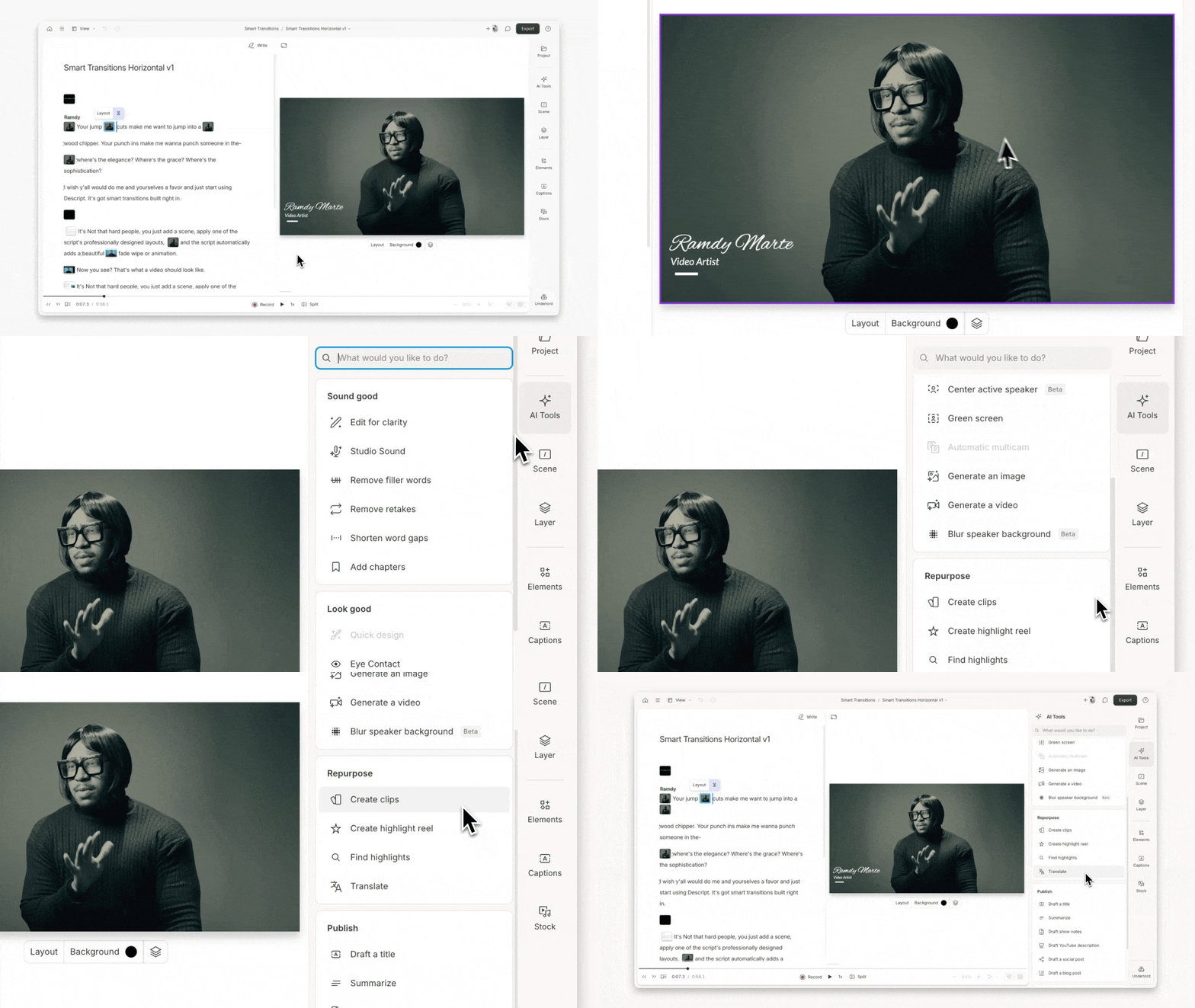
> AI Tools in the Repurpose category help you turn longform content into clips, highlight reels, and translated versions of your project.
The Repurpose tools help turn a finished long-form video or podcast into shorter, shareable, or multilingual versions.
These tools analyze your script, surface engaging moments, and create editable drafts you can refine, share, or export.
 **Usage note**
On current plans, this feature uses **AI Credits**. Learn more about [tracking your Media Minutes and AI Credits](/billing-payments-plans/track-and-understand-your-media-minutes-and-ai-credits).
Legacy and Sunset plans track usage differently. See our [Understanding your Legacy and Sunset plan](/billing-payments-plans/legacy-sunset) guide for details.
## Create clips
Extract shorter, shareable clips from your project with a single click. Choose how many you want, set their length, and optionally apply a layout. Clips are added to a new composition, ready to edit or export.
[Learn more about Create clips](/repurpose/create-clips-from-your-content)
## Create highlight reel
Combine your key moments into a teaser or recap video. This tool collects highlights and adds them to a new composition. [Apply a layout (optional)](/templates-and-presets/overview) to give it a finished look.
## Find highlights
Automatically surface the most impactful parts of your content—main ideas, turning points, or quotable soundbites. This tool is useful for reels, pulling soundbites, or condensing a project to essentials.
Highlights appear in your script so you can review, refine, or build on them right away.
[Learn more about highlights](/script-editing/highlights)
## Translate
Translate your script into multiple languages, generate captions, and optionally dub the audio. Great for accessibility, localization, and global teams.
[Learn more about the suite of translate and dubbing tools](/repurpose/overview)
**Usage note**
On current plans, this feature uses **AI Credits**. Learn more about [tracking your Media Minutes and AI Credits](/billing-payments-plans/track-and-understand-your-media-minutes-and-ai-credits).
Legacy and Sunset plans track usage differently. See our [Understanding your Legacy and Sunset plan](/billing-payments-plans/legacy-sunset) guide for details.
## Create clips
Extract shorter, shareable clips from your project with a single click. Choose how many you want, set their length, and optionally apply a layout. Clips are added to a new composition, ready to edit or export.
[Learn more about Create clips](/repurpose/create-clips-from-your-content)
## Create highlight reel
Combine your key moments into a teaser or recap video. This tool collects highlights and adds them to a new composition. [Apply a layout (optional)](/templates-and-presets/overview) to give it a finished look.
## Find highlights
Automatically surface the most impactful parts of your content—main ideas, turning points, or quotable soundbites. This tool is useful for reels, pulling soundbites, or condensing a project to essentials.
Highlights appear in your script so you can review, refine, or build on them right away.
[Learn more about highlights](/script-editing/highlights)
## Translate
Translate your script into multiple languages, generate captions, and optionally dub the audio. Great for accessibility, localization, and global teams.
[Learn more about the suite of translate and dubbing tools](/repurpose/overview)