> ## Documentation Index
> Fetch the complete documentation index at: https://help.descript.com/llms.txt
> Use this file to discover all available pages before exploring further.
# Applying Promo Codes
> Apply a promo code to your Descript plan.
Enter a promo code as you upgrade your [drive subscription](/billing-payments-plans/upgrade) from Free to a [paid plan](https://www.descript.com/pricing).
## Adding a promo code to a purchase
When purchasing or upgrading a subscription, you can enter a promo code at checkout.
1. Click **Add promo code.\
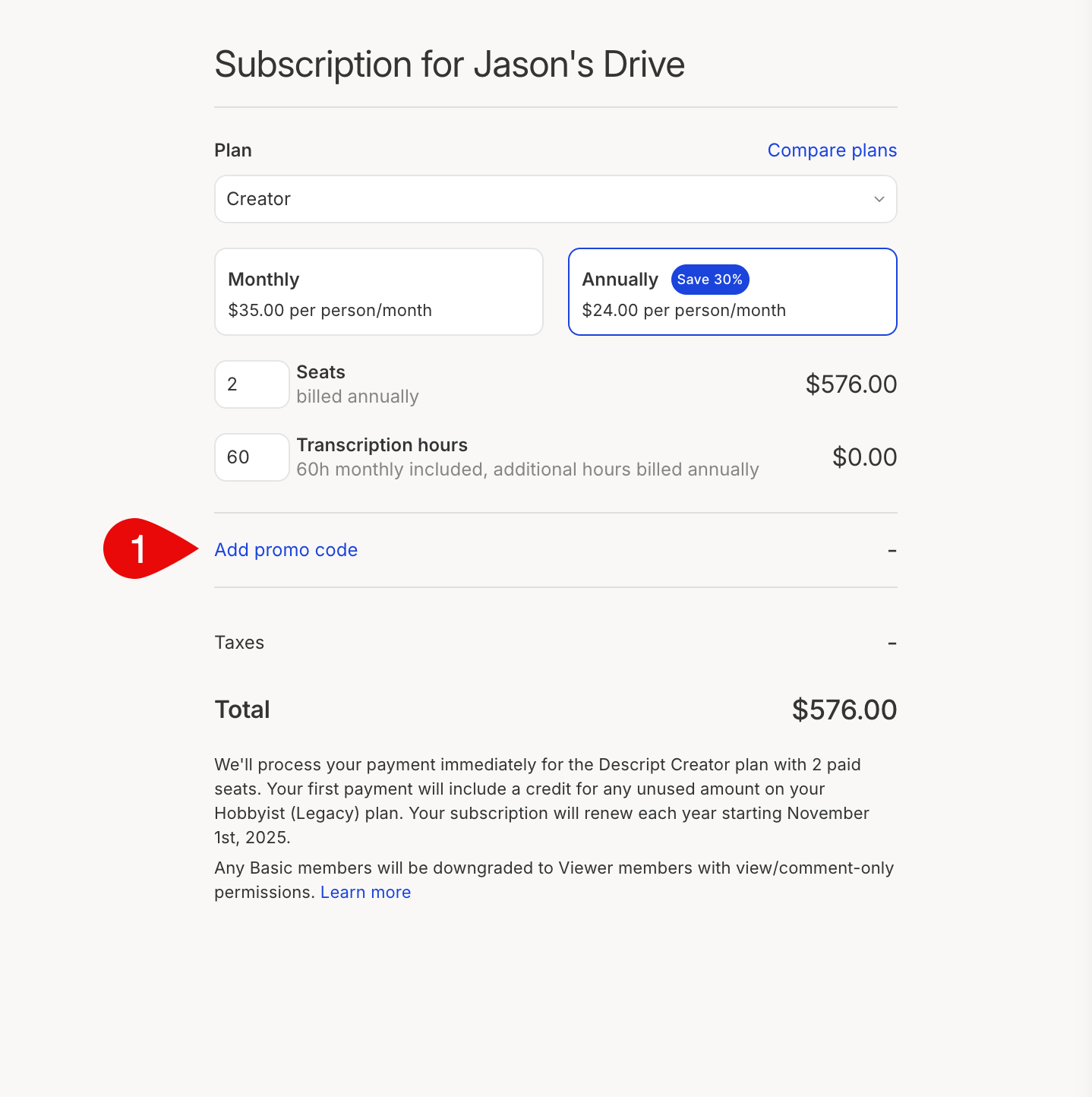 **
2. Enter your promo code.\\
**
2. Enter your promo code.\\
 3. After selecting your purchase, click **Apply**.
4. Finish your purchase by selecting **Save changes.**
**Considerations when using promo codes**
* Promo codes can only be used once.
* Promo codes can only be applied to new accounts when upgrading from a free to a paid plan.
* You can only use one code per purchase.
* Some codes have an expiration date; you'll want to use them before they expire.
3. After selecting your purchase, click **Apply**.
4. Finish your purchase by selecting **Save changes.**
**Considerations when using promo codes**
* Promo codes can only be used once.
* Promo codes can only be applied to new accounts when upgrading from a free to a paid plan.
* You can only use one code per purchase.
* Some codes have an expiration date; you'll want to use them before they expire.