> ## Documentation Index
> Fetch the complete documentation index at: https://help.descript.com/llms.txt
> Use this file to discover all available pages before exploring further.
# View and Manage Your Drive Subscription
> Manage your billing, plan, and seat settings from the Plan tab in your App Settings .
Need to upgrade, adjust seats, or check what you're paying? Your subscription settings live in the **Plan** tab of [App Settings](/account-and-app-settings/app-settings).
There are two ways to open your subscription settings:
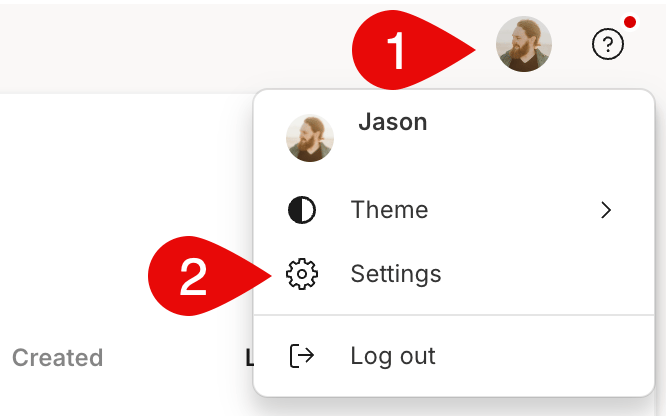
#### Option 1 — From your profile icon
1. Sign in to your account at [web.descript.com](https://web.descript.com/) or [open the desktop app](/getting-started/install).
2. Open [App Settings](/account-and-app-settings/app-settings), keyboard shortcut `Command/Control + , (comma)`
3. Go to the **Plan** tab.
 #### Option 2 — From your Drive selector
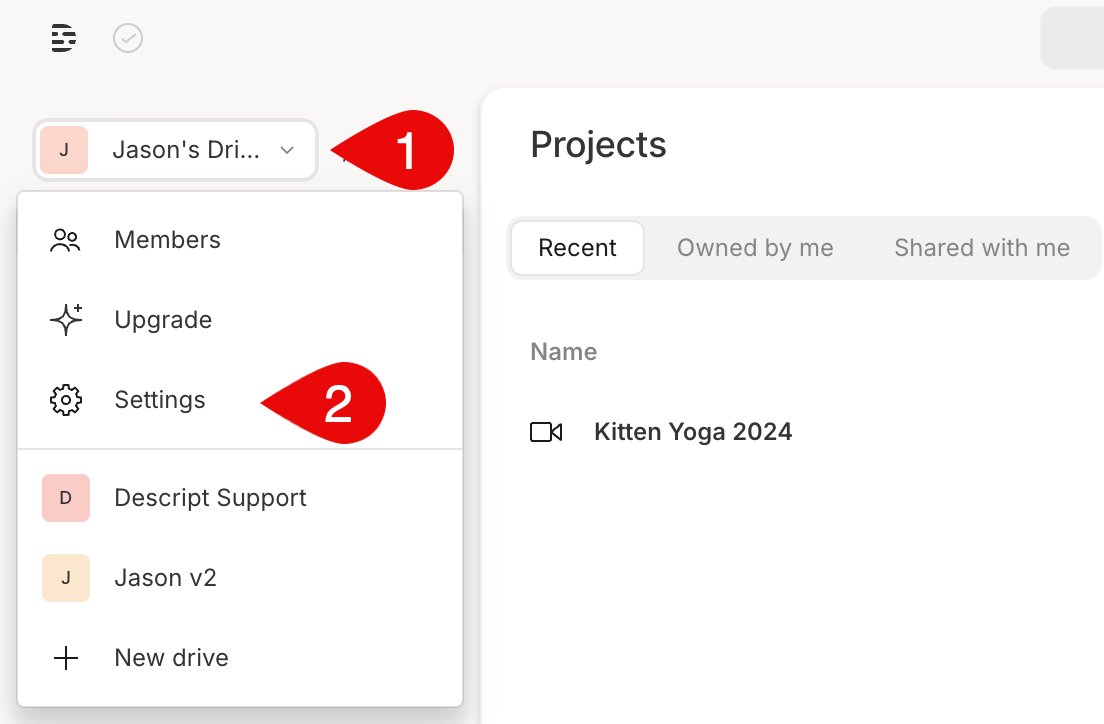
1. Click your Drive name in the top-left corner of the Descript window.
2. Choose **Settings** from the dropdown menu. This will open directly to the **Plan** tab.
#### Option 2 — From your Drive selector
1. Click your Drive name in the top-left corner of the Descript window.
2. Choose **Settings** from the dropdown menu. This will open directly to the **Plan** tab.
 **Need additional media minutes or AI Credits?**
If you reach your monthly limit, you can add more Media minutes or AI Credits by purchasing a **Top up** from the **Usage** tab in your App Settings. Top ups are shared across your Drive and are available for one-time use without changing your subscription plan. [Learn more about Top ups](/billing-payments-plans/top-ups).
**Need additional media minutes or AI Credits?**
If you reach your monthly limit, you can add more Media minutes or AI Credits by purchasing a **Top up** from the **Usage** tab in your App Settings. Top ups are shared across your Drive and are available for one-time use without changing your subscription plan. [Learn more about Top ups](/billing-payments-plans/top-ups).