> ## Documentation Index
> Fetch the complete documentation index at: https://help.descript.com/llms.txt
> Use this file to discover all available pages before exploring further.
# Change My Billing Cycle
> Switch your Descript plan between monthly and annual billing.
Choose to pay for your Descript subscription monthly or annually. [View our current plans and pricing](https://www.descript.com/pricing).
**Bonus top ups for annual Creator and Business subscribers**
Subscribe to an annual **Creator** or **Business** plan and get bonus top up AI credits and media minutes. [See offer details](/billing-payments-plans/upgrade)
## Switch between monthly and annual billing
1. Log in to your account at [web.descript.com](https://web.descript.com/) or open the Descript app.
2. Open [App Settings](/account-and-app-settings/app-settings), keyboard shortcut `Command/Control + , (comma)`
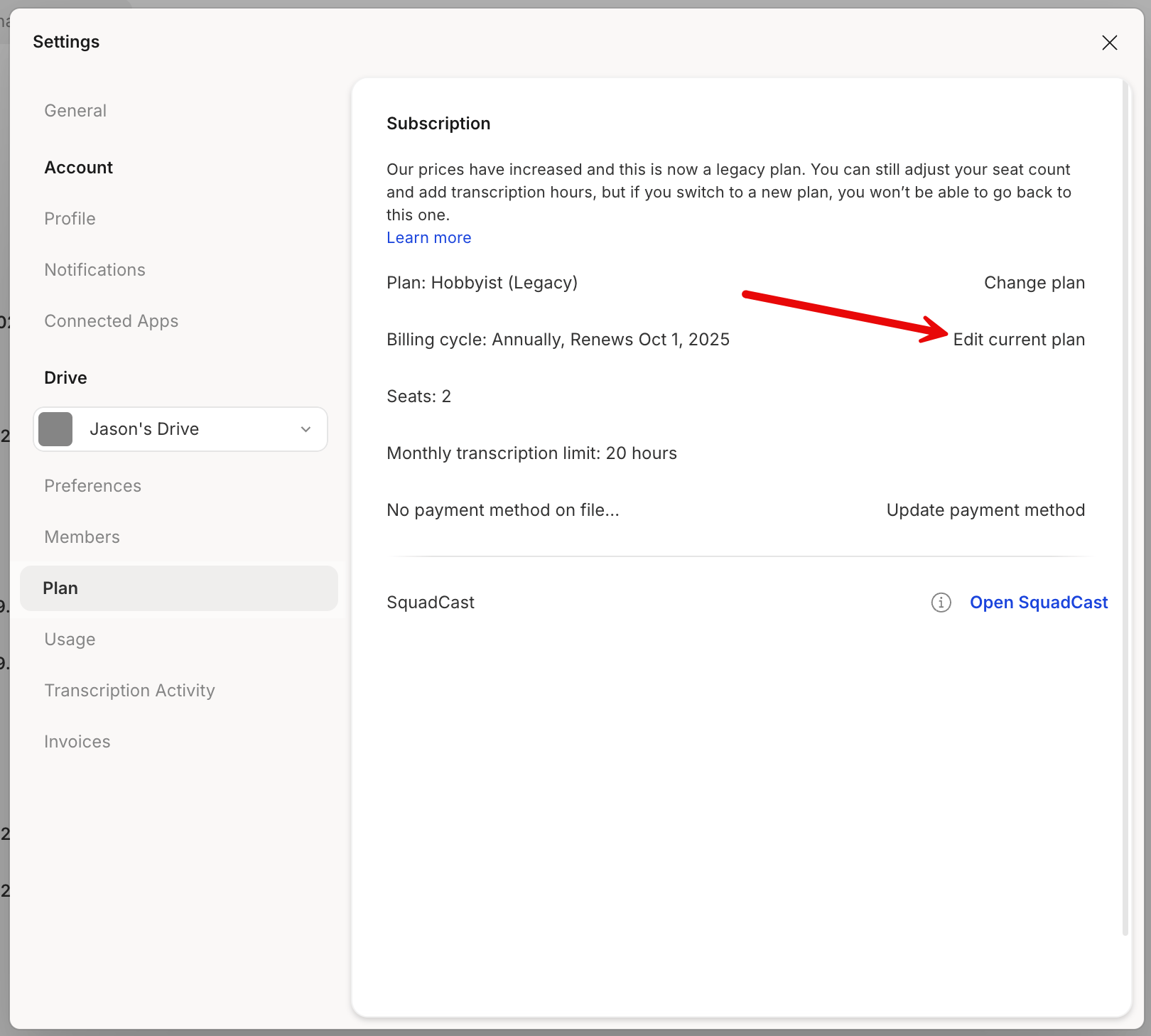
3. Under the **Plan** tab, click **Edit current plan** next to your billing cycle.\\
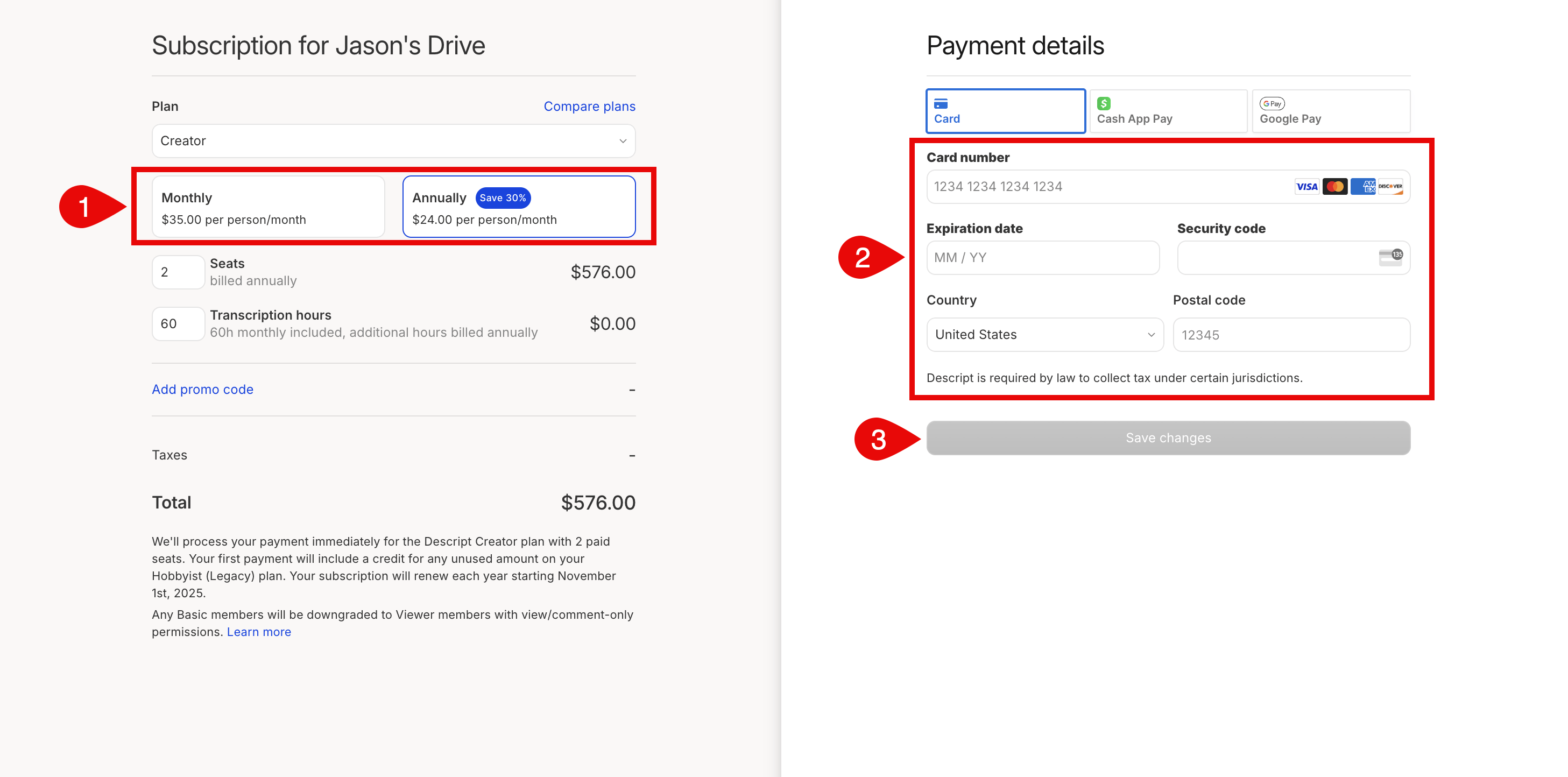
 4. Select your preferred billing frequency (monthly or yearly). You can also update your payment method here if needed. When you're done, click **Save changes**.\\
 **Billing changes**
Upgrades (including switching from monthly to annual billing) take effect immediately; downgrades will apply at the end of your current billing cycle.
**Billing changes**
Upgrades (including switching from monthly to annual billing) take effect immediately; downgrades will apply at the end of your current billing cycle.