> ## Documentation Index
> Fetch the complete documentation index at: https://help.descript.com/llms.txt
> Use this file to discover all available pages before exploring further.
# Create Additional Drives
> Set up a separate drive with its own billing, seats, and members to keep teams, clients, or projects fully isolated.
Your Descript account can belong to multiple drives, each with its own subscription, billing, members, and workspace. This makes it easy to manage separate teams, projects, or clients.
**Drive creation is restricted for SSO users**
Accounts managed through single sign-on (SSO) can't create additional drives. If you need another drive, contact your Admin.
## Create a new drive
1. [Sign in](https://web.descript.com) to Descript.
2. Open Settings with `Cmd/Ctrl + ,` or navigate to [App Settings](/account-and-app-settings/app-settings) manually.
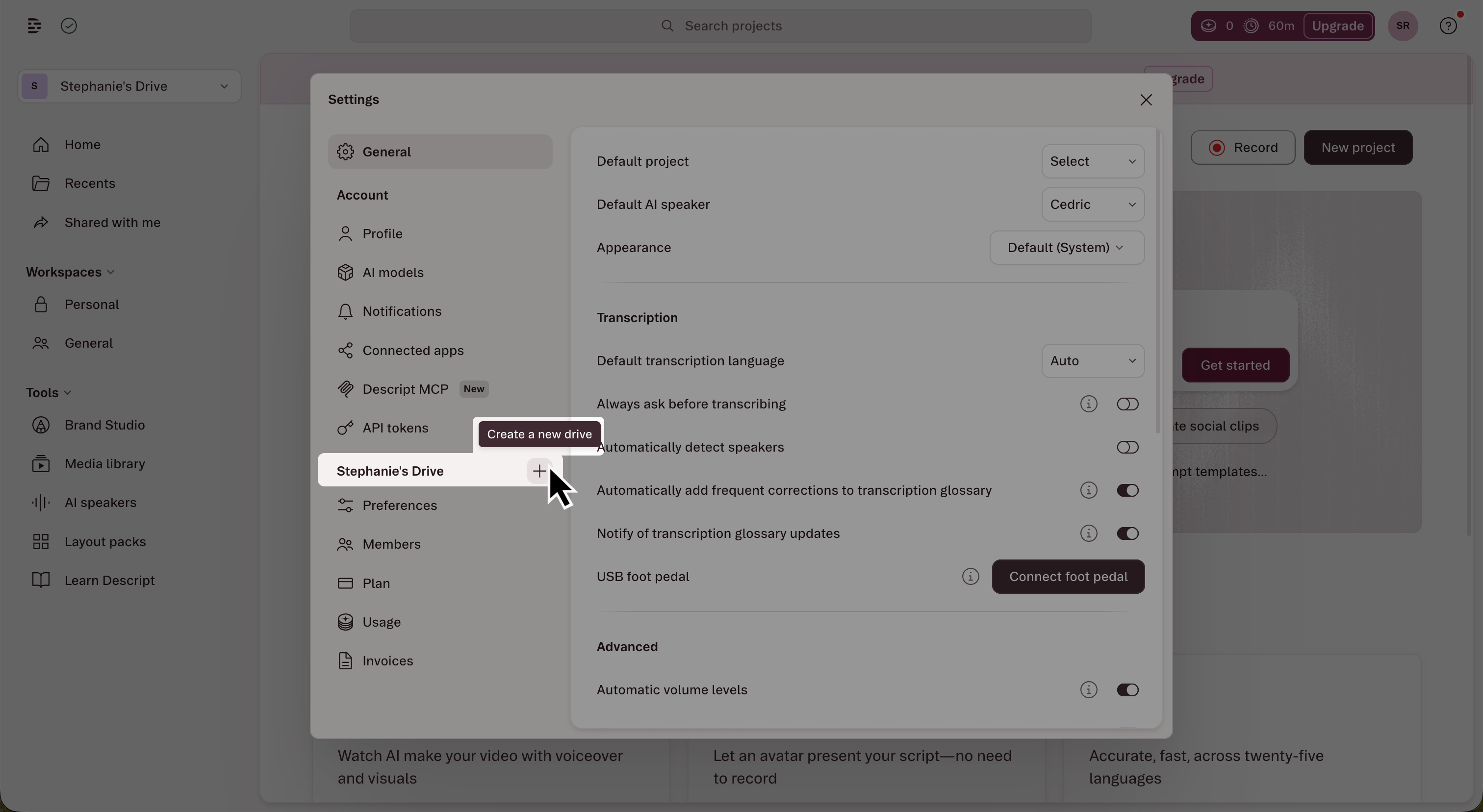
3. In the left sidebar, click the **+** button next to the **Drive** section header.\\
 4. Name your new drive.
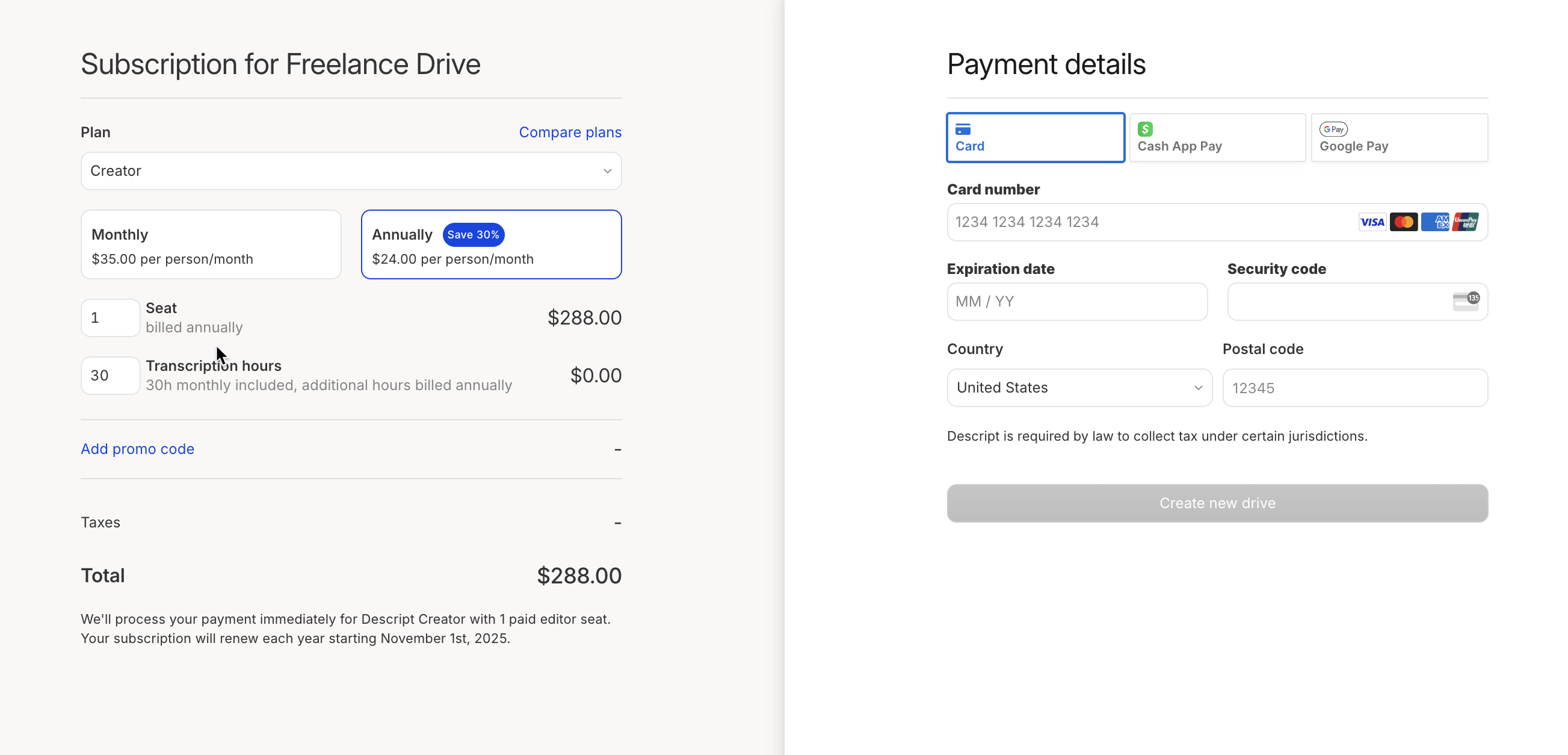
5. Choose your plan and billing cycle.
6. Add any additional seats or transcription time. Choose your payment method, then click **Create new drive**.\\
4. Name your new drive.
5. Choose your plan and billing cycle.
6. Add any additional seats or transcription time. Choose your payment method, then click **Create new drive**.\\
 ### Paid seats
Each drive starts with one paid seat assigned to the drive owner. If you plan to invite editors, you can add additional paid seats during setup — or anytime later. Learn how to [invite members to a drive](/team-management/invite).
**Billing for additional Editors**
Each additional Editor seat adds a separate charge to the drive's subscription. All billing is managed by the drive owner — not individual members.
### Paid seats
Each drive starts with one paid seat assigned to the drive owner. If you plan to invite editors, you can add additional paid seats during setup — or anytime later. Learn how to [invite members to a drive](/team-management/invite).
**Billing for additional Editors**
Each additional Editor seat adds a separate charge to the drive's subscription. All billing is managed by the drive owner — not individual members.